Quote planner
Map the work, estimate your hours, and include a visible allowance for uncertainty.
INCLUDED · XLSX WORKBOOKFOR INDEPENDENT WEB & BRAND DESIGNERS
A project fee is only half the story. See what’s left after expenses, extra hours, and the time you put in.
No sign-up. No account. Your numbers stay in this browser.
Six extra hours change what the project pays you.
A USEFUL PLACE TO START
Enter a fee and your expected hours.
Then see what happens when the work takes longer.
YOUR HOURLY RETURN AT 36 HOURS
After direct expenses and payment fees.
Before business overhead and tax.
Above your $60.00/hr target at 36 hours.
Save a text file, or select and copy the summary below.
Save .txt file ↓A planning aid, not an accounting statement. Include all relevant costs when making a real pricing decision. Calculations are rounded for display.
THE COMPLETE KIT
The Project Profit Kit connects your quote, scope changes, and final project review in one practical workflow.
Map the work, estimate your hours, and include a visible allowance for uncertainty.
INCLUDED · XLSX WORKBOOKRecord what is included, how many revisions you’ve allowed, and what changes along the way.
Download the free scope sample ↓Compare planned and actual hours. Find where your next quote needs more room.
INCLUDED · XLSX WORKBOOKFollow a sample website project and a brand project, with four drafts for common client conversations.
INCLUDED · WORKBOOK & PDF GUIDEINSIDE VERSION 1.0
Yellow cells are editable inputs. Calculated results stay visible beside the assumptions that produced them.
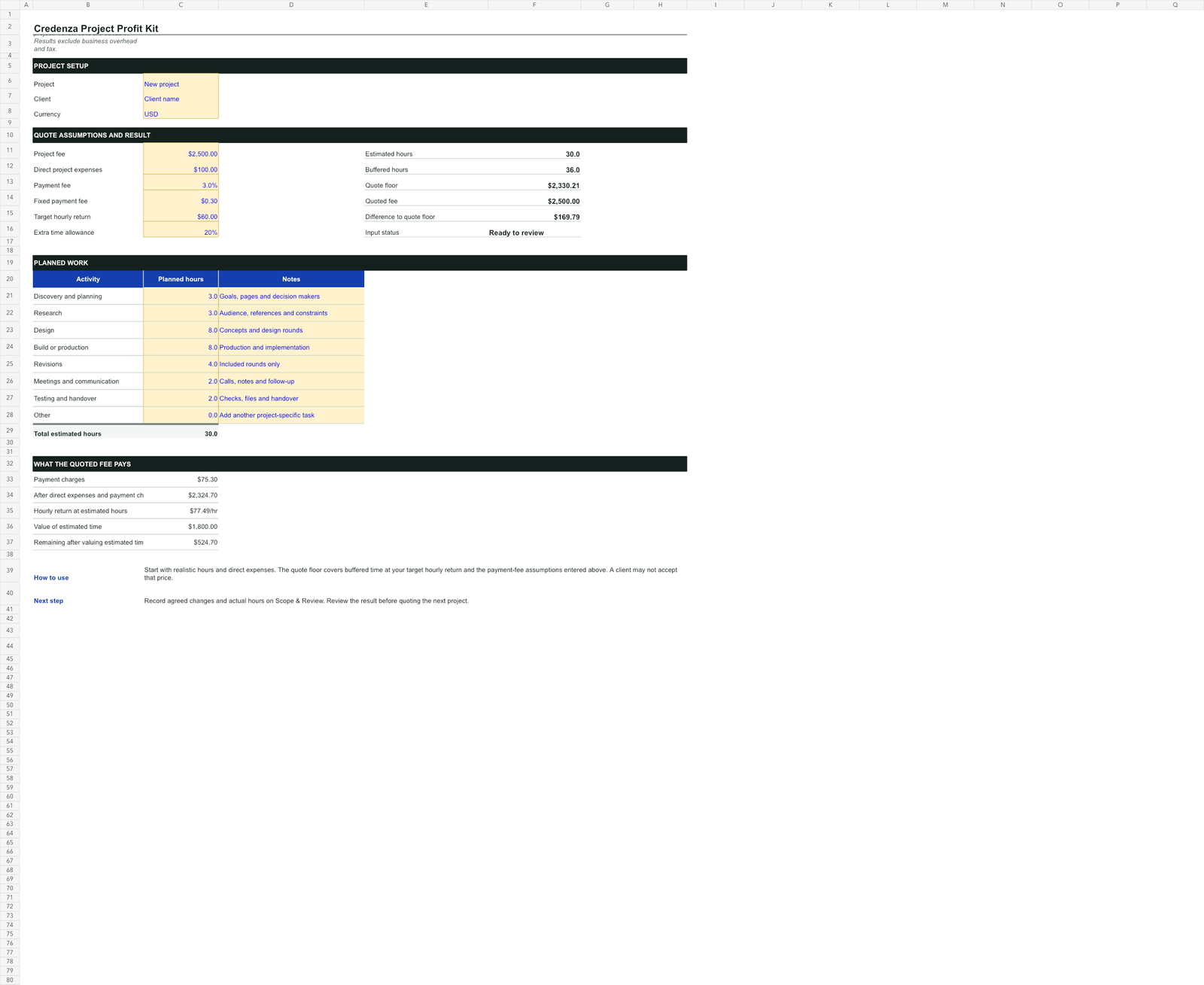
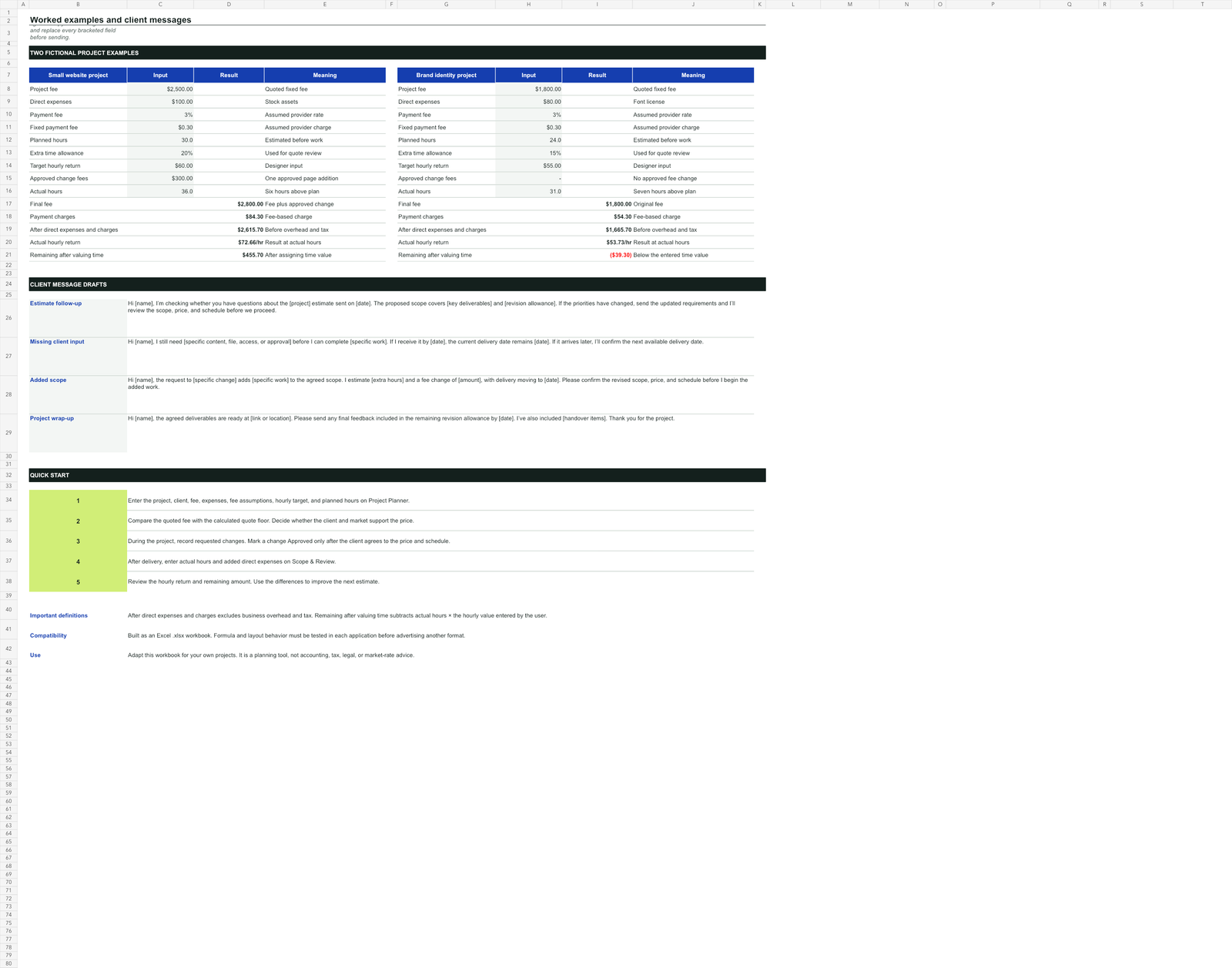
Screenshots show the actual version 1.0 workbook with fictional example data.
A REPEATABLE HABIT
Break the project into tasks, estimate your time, and write down the boundaries.
Track extra requests and actual hours, so you can discuss changes while they still matter.
Review what the project paid for your time and carry those lessons into the next estimate.
A FEW USEFUL ANSWERS
Independent web and brand designers who sell fixed-fee projects and want a clearer way to compare price, scope and time. It is not a payroll, bookkeeping or tax tool.
Yes. Use the secure checkout button on this page. You will be charged during checkout and receive access to the digital files after successful payment.
A time tracker records time. The planned kit connects an estimate, scope decisions, actual time and an end-of-project review. If you already have a process that does this well, you may not need another tool.
The current product is an Excel .xlsx workbook. Excel and Google Sheets behavior will be tested before both applications are advertised as supported. The free calculator works directly in a modern browser.
No. The calculator runs in this page without sending your entries anywhere. It does not save your numbers between visits. You can download a text summary to keep them yourself. This preview has no analytics or sign-up form.
No. It shows the project fee after the direct expenses and payment fees you enter, an hourly return, and a remainder after assigning a value to your time. Business overhead, income tax and any unentered costs are excluded.
START WITH YOUR NEXT PROJECT